
Freelance invoice template that gets you paid
Reviewed
A freelance invoice should connect each charge to a project, service period, or approved milestone. This template gives hourly, fixed-fee, and retainer work a clear structure while leaving rates, client details, tax, and payment instructions for you to review.
- Free, no sign-up
- Online editor and PDF export
- No watermark
- Rates left blank on purpose
Your business
Add your legal name and address
Add your contact details
Invoice
- Number
- INV-001
- Issued
- Add date
- Due
- 14 days later
Bill to
Client legal name
Billing contact and address
Template
Freelance
Rates intentionally blank
| Description | Qty | Rate | Amount |
|---|---|---|---|
| Project service or milestoneDescribe the approved deliverable and service period | 1 | $0.00 | $0.00 |
| Additional hourly supportAdd approved hours and scope | 1 | $0.00 | $0.00 |
- Subtotal
- $0.00
- Tax
- Review locally
- Amount due
- $0.00
Who this template is for
Use it for design, development, writing, consulting, marketing, and other independent professional services. It works best when the client already approved scope and pricing in a proposal, quote, estimate, or contract.
Invoice rules, required identity fields, tax treatment, record retention, and late-fee limits vary. Use this as an operational starting point and confirm requirements for your contract and jurisdiction.
Choosing software as well as a document? See the invoice software for freelancers workflow for saved clients, live links, status, and follow-up.
What to include
- Your business or legal name and contact details
- Client legal name, billing contact, and address
- Unique invoice number, issue date, and explicit due date
- Project, milestone, or service-period reference
- Specific services, hours or quantities, rates, and totals
- Agreed currency, payment terms, and payment instructions
Line-item examples clients can review
Vague rows invite questions and delay payment. Name the deliverable, then keep the supporting detail on its own line.
Design
Homepage interface design
Responsive desktop and mobile handoff
Consulting
Product strategy workshop
Two sessions and written recommendations
Monthly work
Content retainer, August
Four briefs and one reporting call
Choose the right billing structure
Hourly
Show approved hours, rate, and service period. Avoid a line called only “work” or “services.”
Fixed project
Name the deliverable or milestone and reference the accepted proposal when useful.
Monthly retainer
State the service month, included scope, and where overages or unused hours are governed.
Worked example
Example: product design project
A freelancer bills one strategy workshop at $1,200 and 12 hours of interface support at $125 per hour. Each item names the outcome and service period, so the client can match the invoice to approved work.
- Project subtotal
- $2,700
- Suggested structure
- Net 14 with an explicit calendar due date
Common mistakes to avoid
Vague line items
Replace “design work” with the deliverable, period, and approval reference.
Unclear due date
Pair Net 14 or Net 30 with the actual date to remove calculation ambiguity.
Unagreed late fees
Only add fees supported by the contract and applicable local rules.
How to customize and export
- 1Load the profession-specific fields in the free invoice generator.
- 2Add your business and client details.
- 3Replace example descriptions and enter agreed quantities and rates.
- 4Review currency, tax, due date, terms, and payment instructions.
- 5Preview the full invoice, then export the PDF.
Start with the working template
No sign-up and no watermark. Existing drafts stay protected by a confirmation.
Use this templateRelated templates
 Online and PDF
Independent contractor invoice template
An independent contractor invoice should identify the service period, approved work, rate basis, reimbursable expenses, and client reference needed for approval. The document supports billing, but it does not determine worker classification or replace a service agreement.
View template Online and PDF
Contractor invoice template
A contractor invoice should separate labor, materials, reimbursable expenses, and approved changes so a client can check each charge against the scope. This template adds those working rows without assuming tax, markup, or local construction rules.
View template Online and PDF
Photography invoice template
A photography invoice should distinguish the session, post-production, physical deliverables, travel, and any usage license. This template keeps those charges visible and leaves copyright, cancellation, and delivery rights to the signed agreement.
View template
See every profession in the invoice template library.
Keep reading
 Guide
GuideHow to Make a Freelance Invoice: Complete Guide (2026)
Learn how to make a freelance invoice for hourly, fixed-price, international, and retainer work, with a complete field checklist and practical examples.
 Payment terms
Invoice Payment Terms: Net 30, Due Dates, and Fees
Understand Net 7, Net 15, Net 30, due on receipt, milestone terms, explicit due dates, discounts, and careful late-fee wording for client invoices.
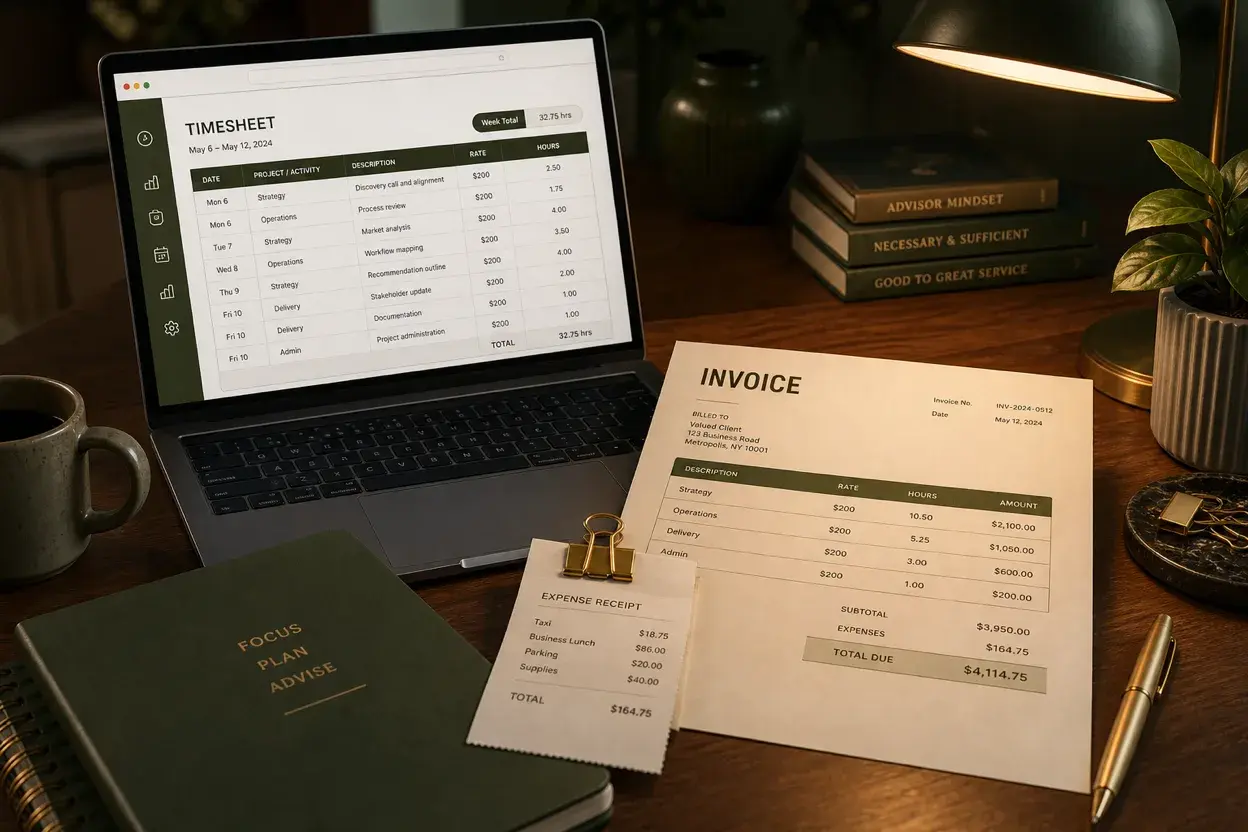 Consulting
Consulting Invoice Guide: What to Include and How to Bill
Build a clear consulting invoice for hourly, project, or retainer work, with line-item examples, expense and PO tips, and a worked billing example.
Frequently asked questions
Is this invoice template free?
Does NeatInvoice process client payments?
Can I use it for international clients?
Should a freelancer invoice before or after work?
Sources and related guidance
References used to support this page in . Rules and product details can change; check the linked source for current, jurisdiction-specific information.
- Invoices — what they must include by GOV.UK
- How to invoice by Australian Government