
Remittance Advice: What It Is and How to Match a Payment
Learn what a remittance advice means, which invoices it covers, how to match payments, and what to do when the amount or reference does not agree.
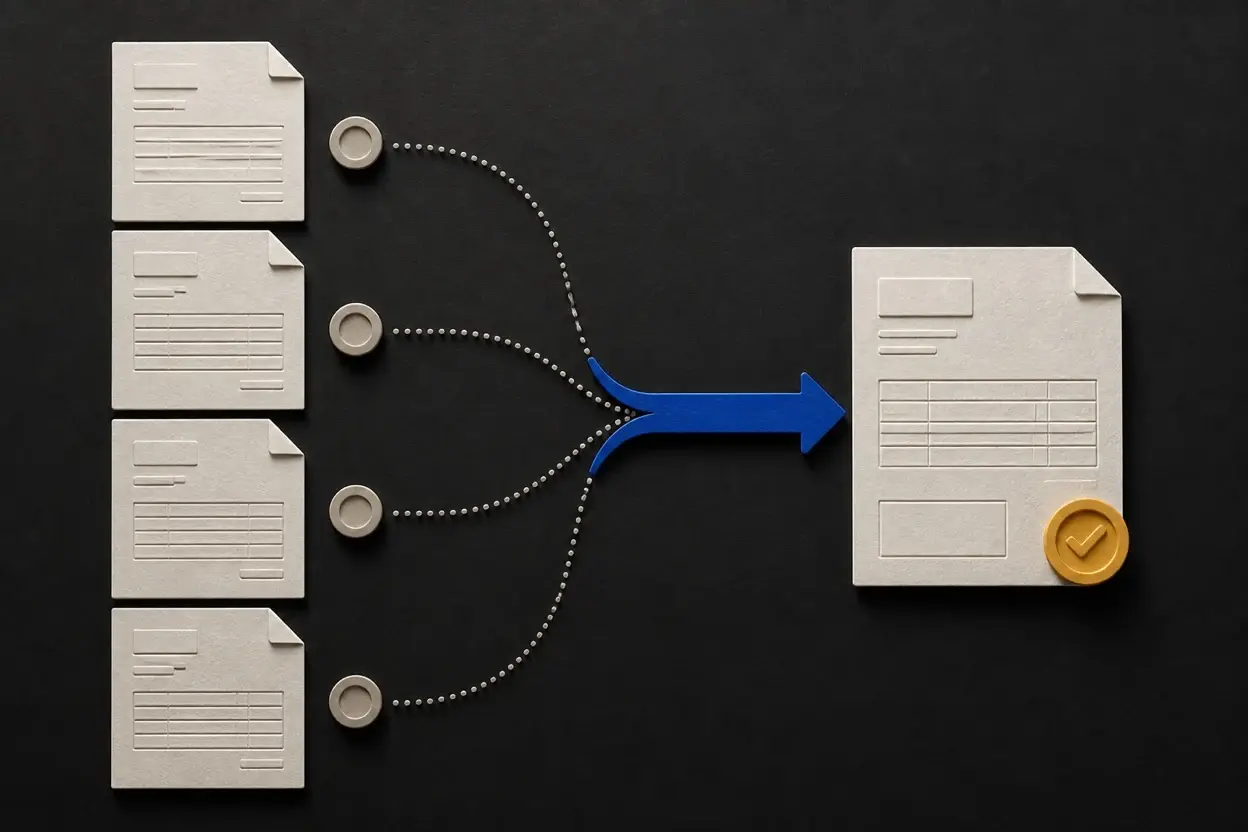
A remittance advice tells a supplier how a payer wants a payment allocated. It usually names the payment reference and the invoices, credit notes, or other items covered. Oracle's payables glossary describes it as a document that lists the invoices being paid with a particular payment document.
A remittance advice explains a payment. It does not request payment, and it does not prove that the money has cleared. Confirm the settled transaction separately, then apply the amount to the right invoice records.
Remittance advice at a glance
| Document | Usually created by | Main question | Payment meaning |
|---|---|---|---|
| Invoice | Seller | What does the customer owe? | Payment request |
| Remittance advice | Payer or buyer | Which records does this payment cover? | Allocation instruction or notice |
| Receipt or paid record | Seller or payment system | What payment was received? | Evidence of payment after settlement |
The names vary by industry. A large buyer may send an electronic remittance file through its accounts-payable system. A small client may send a short email with the transfer reference and two invoice numbers. The format changes, but the job is the same: make a payment traceable.
Why the advice matters
A bank deposit tells you that money arrived. It may not tell you which of several open invoices the payer intended to settle. The advice supplies that missing context so you can match the payment without guessing.
The invoice reconciliation guide shows how to compare that allocation with invoice, payment, and customer-balance records before closing an item.
It becomes especially useful when:
- One transfer covers several invoices.
- A client pays only part of an invoice.
- A credit note or early-payment discount changes the amount applied.
- A payer deducts an agreed fee, withholding amount, or other adjustment.
- The bank reference is shortened or does not include your invoice number.
The Australian Government's invoicing guidance frames an invoice as the document that tells a customer how much to pay, when to pay, and how to pay. The allocation note comes later in that workflow: it helps connect the payment back to the request.
A practical payment-matching sequence
Payment approved
The payer confirms which obligations it intends to settle
Funds sent
The transfer, card settlement, or other payment is initiated
Advice shared
The payer sends references, amounts, and any adjustments
Funds verified
The supplier checks the settled bank or payment record
Invoices allocated
Each amount is marked paid, partial, or left for review
The message and the money can arrive in either order. Do not let a well-formatted email replace the verification step. The advice can be prepared before a transfer settles, sent to the wrong address, or contain a reference that does not match the amount received.
What the advice should include
There is no single global template, but a useful advice normally answers these questions:
- Who sent the money? Include the payer, supplier, and any account or customer reference.
- Which payment is this? Add the payment date, payment reference, currency, method, and total amount sent.
- Which records are covered? List each invoice number, invoice date if useful, amount due, amount applied, and remaining amount.
- What changed the allocation? Show credits, discounts, withholding, bank charges, returns, or other deductions instead of hiding them inside one net number.
- Who can resolve a mismatch? Give an accounts-payable contact or reply address.
Oracle's remittance advice glossary uses the same core idea: list the invoices paid by a particular payment document. The details can be delivered by email, PDF, portal, or electronic data exchange, but the references should remain readable outside the payment system that created them.
Worked example: one transfer, three invoices
A client sends $4,800 and emails an allocation note with three invoice references:
| Invoice | Open balance before payment | Amount applied | Balance after matching |
|---|---|---|---|
| INV-104 | $2,000 | $2,000 | $0 (paid) |
| INV-109 | $1,500 | $1,500 | $0 (paid) |
| INV-113 | $2,000 | $1,300 | $700 (still open) |
| Total | $5,500 | $4,800 | $700 remaining |
The bank record confirms that $4,800 settled. The first two invoices can be marked paid; INV-113 remains partially paid with a $700 balance. The advice is useful because it explains the payer's allocation, but the settled bank record is what confirms the money arrived.
If the payer's message says all three invoices were paid, do not silently close the shortfall. Ask whether a credit, withholding, discount, or separate transfer explains the difference, and preserve the answer with the payment record.
What to do when the payment does not match
Treat a mismatch as an exception to investigate, not a reason to force the nearest invoice to Paid.
- Verify the payment identity. Compare payer, currency, amount, settlement date, and bank or processor reference.
- Read the allocation line by line. A remittance may use a customer account number instead of your invoice number.
- Check adjustments. Look for an approved credit note, early-payment discount, withholding, return, or fee.
- Compare the open balances. A partial payment may be intentional even when the advice uses the word “paid.”
- Ask one precise question. Send the payer the payment reference, the invoice list, and the amount you cannot allocate.
- Record the resolution. Keep the original advice, the settled transaction, and the final allocation together.
If the amount is real but the invoice is unknown, keep it unapplied while you investigate. Applying it to the wrong client or project creates a second problem: the original invoice still looks unpaid, while another customer appears to have paid too much.
An email template for the advice
Use plain references that an accounts-payable team can search later:
Subject: Payment allocation: [reference], [date]

Hello [supplier name],

We sent [currency and total] on [date] using payment reference [reference].

Please apply it as follows:
- [invoice number]: [amount]
- [invoice number]: [amount]
- [credit note or adjustment, if applicable]: [amount]

If your records show a different balance or allocation, please reply with the
payment reference and the invoice numbers that need review.

Regards,
[name and business]
When you receive advice, save the original message or PDF rather than copying only the total into a spreadsheet. The IRS recordkeeping guidance lists invoices, receipts, deposit information, and other payment documents as supporting business records; the exact retention period depends on the jurisdiction and transaction.
Advice versus an invoice or receipt
An invoice starts the payment request. The advice explains how the payer says a later payment should be allocated. A receipt or paid record supports what the seller actually received.
The Australian Government's receipt guidance makes the operational distinction clear: an invoice tells the customer what they owe, while a receipt shows what they paid. The allocation note sits between those records as the payment message. It can make reconciliation easier, but it cannot change the settled amount.
How NeatInvoice fits
NeatInvoice can keep invoice status and payment details together after you verify the settled transaction. That helps you see which balance is still open and decide what needs follow-up. NeatInvoice does not process payments, create a bank settlement, or replace the advice sent by the payer.
Use the advice to understand the payer's allocation, then use the bank or payment record to confirm settlement. Keep both with the invoice history when an amount is partial, adjusted, or disputed.
Frequently asked questions
What is remittance advice?
Is remittance advice proof of payment?
What should remittance advice include?
What should I do if a payment does not match the remittance advice?
Can a small business send remittance advice by email?
Can NeatInvoice replace remittance advice?
Sources and related guidance
References used to support this page in . Rules and product details can change; check the linked source for current, jurisdiction-specific information.
- Remittance advice glossary by Oracle Payables Help
- Upload Lockbox Payment and Remittance Advices by Oracle Revenue Management and Billing
- How to invoice by Australian Government business.gov.au
- What kind of records should I keep? by Internal Revenue Service